How Developers Work Remotely Without Sacrificing Their Setup
To the software engineer, stepping away from the familiarity of their dual-screen computer at home presents an extremely dangerous move in terms of productivity. The idea of composing, testing, and reviewing code through a single 13-inch portable laptop screen is enough to deter anyone from coding on the go. For fast-paced development, it is important to have a portable workstation that does not compromise on the technical side of things.
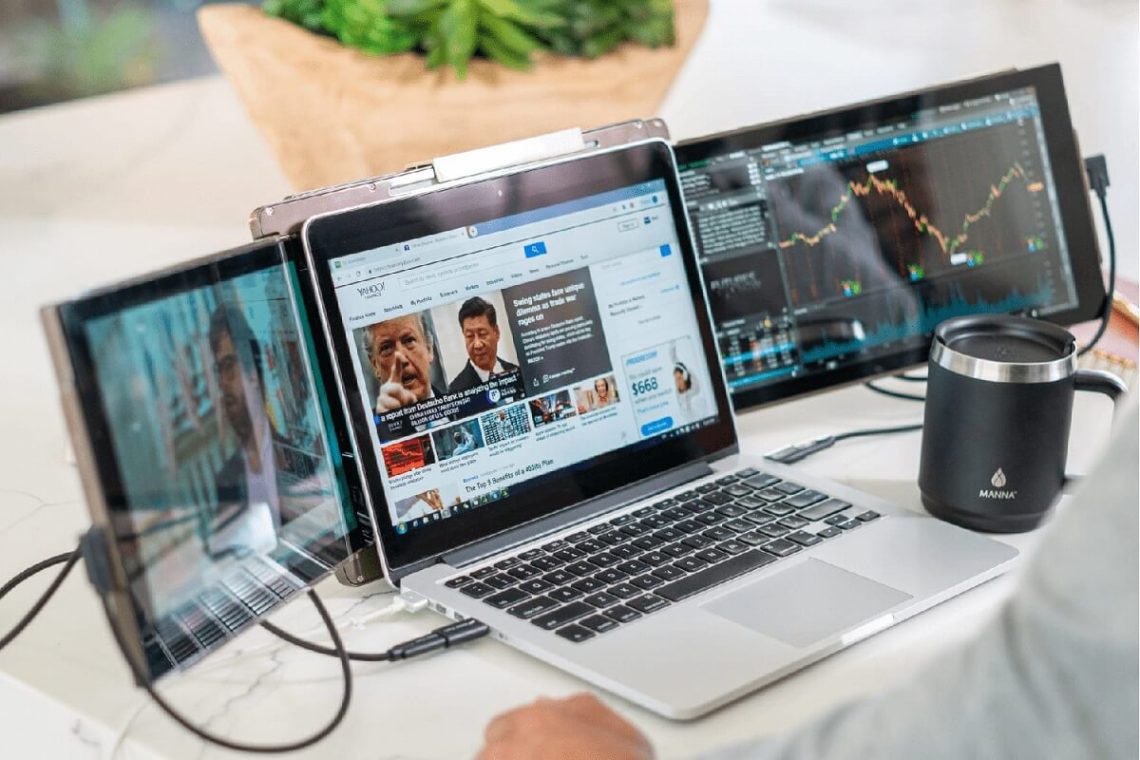
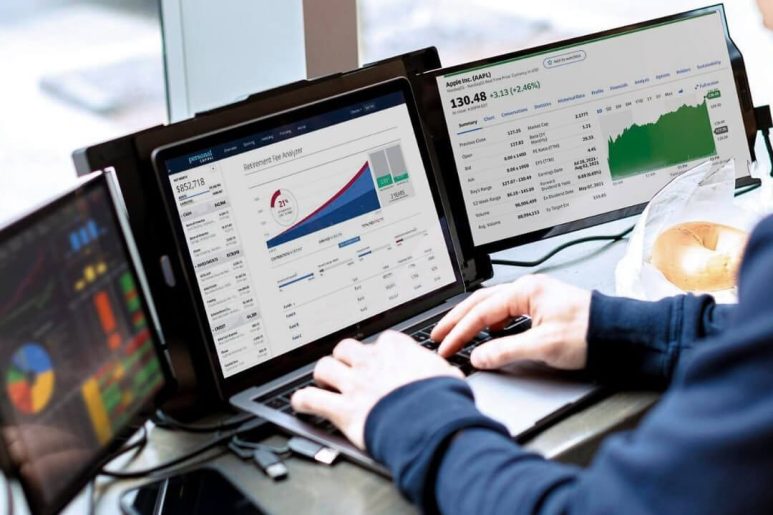
By implementing a high-quality triple screen setup such as that of the Mobile Pixels Trio 3 Pro into your workflow, you ensure that you are able to have your preferred environment wherever you may be coding, whether it be in the coffee shop or at an airport terminal. By prioritizing a setup tailored to multi-windowing tasks, you avoid the distraction of constantly switching screens.
1. Optimal Screen Real Estate for Complex IDEs
Modern integrated development environments (IDEs) are incredibly resource-heavy and screen-hungry. Between the directory tree, the main code editor, terminal panels, and debugger consoles, a single display gets crowded within minutes.
To solve this layout problem, you should be able to:
- Dedicate your primary laptop screen exclusively to your main code editor window.
- Position your local terminal, application servers, and log streams on a separate dedicated display.
- Ensure your secondary screens offer crisp 1080p or higher resolution so small console text remains easily readable.
2. Seamless Pull Requests and Code Reviews
Reviewing long, complex pull requests (PRs) on a cramped screen is incredibly tedious. Trying to compare side-by-side git diffs while keeping your Slack, Teams, or email open leads to missed logic bugs and delayed approvals.
Make sure that you:
- Dedicate a secondary monitor specifically to GitHub, GitLab, or your team’s code review tool.
- Keep your documentation tabs open alongside the PR to quickly cross-reference API specs.
- Verify code changes visually without having to continuously hide your communication channels.
3. Vertical Display Orientation for Programmers
A lot of development tasks, like writing dense scripts, reading documentation, or scanning terminal outputs, benefit massively from vertical screen space rather than horizontal width.
Be on the lookout for:
- A travel monitor that easily rotates into a native portrait mode setup.
- An adjustable screen angle that allows you to read over a hundred lines of code without scrolling.
- Flexible built-in stands that let you transition seamlessly between landscape and portrait orientations.
4. Low-Latency Performance and Smooth Motion
When typing quickly in vim or executing complex scripts, even a tiny bit of display lag can destroy your mental focus. You need a fast, responsive display that matches your fast typing speed.
To ensure peak performance:
- Select a portable display that connects via a single high-speed USB-C cable for near-zero input lag.
- Stick with a stable 60Hz refresh rate to ensure smooth cursor movements and text scrolling.
- Avoid cheap travel screens that require heavy, laggy display drivers to function.
Developer Workflow Reference Guide
Use this quick comparison table to see how a triple-monitor setup optimizes common development tasks:
| Engineering Task | Ideal Screen Layout | Direct Workflow Benefit |
| Active Coding | Center Screen (Main IDE) | Maximizes visual focus on core logic and code structure |
| Debugging & Logs | Left Screen (Terminal / Logs) | Allows real-time error tracking without hiding your editor |
| Code Review | Right Screen (GitHub / Diffs) | Facilitates side-by-side code comparisons |
| Documentation | Vertical Screen (Portrait Mode) | Displays more lines of API documentation at a single glance |
Conclusion
You don’t have to leave your productivity behind when you leave your home office. By opting for a lightweight, high-resolution triple-screen system, you can build a portable workstation that fully supports your coding, debugging, and code review needs. Now is the time to take your complete desktop setup wherever you go. Check out the Mobile Pixels and upgrade your travel development workflow today.
Tara Lets Anywhere features voices from all over the world — travelers, writers, expats, and local experts who write, often from their own firsthand experience. We believe great stories have no borders, and our global contributors bring those stories straight to you.


You May Also Like
Here’s A City Staycation with a Wellness Twist

Why Stem Cell Treatment Is Becoming a Talking Point in Global Health